What You Really Need Before You Build Your Website (Whether You DIY or Work With a Designer)
If you’re thinking about building a website—whether you’re going the DIY route or hiring a designer—there are a few things you need to have in place to make the process smooth and successful.
At Wild Horse Creative, I work with small business owners just like you—often one-person teams balancing passion, purpose, and way too many to-dos. The key to a great website is a strong foundation. Here's exactly what you’ll need before diving in.

This website for JM Clay Studio was made to create a space online for the owner to sell her products.
1. Define Your Website Goals
Before you pick a color palette or start playing with fonts, ask yourself this:
What do I want my website to do?
Here are a few examples:
Book more appointments
Sell products online
Showcase a portfolio or past work
Provide essential info like hours, location, or services
Grow an email list
Having clear website goals will help guide the design, layout, and content so everything works with your business—not against it.
SEO Tip: Use goal-focused keywords throughout your copy. For example, “custom cakes in Montana” or “book a massage in Kalispell.”
2. Write Your Website Copy
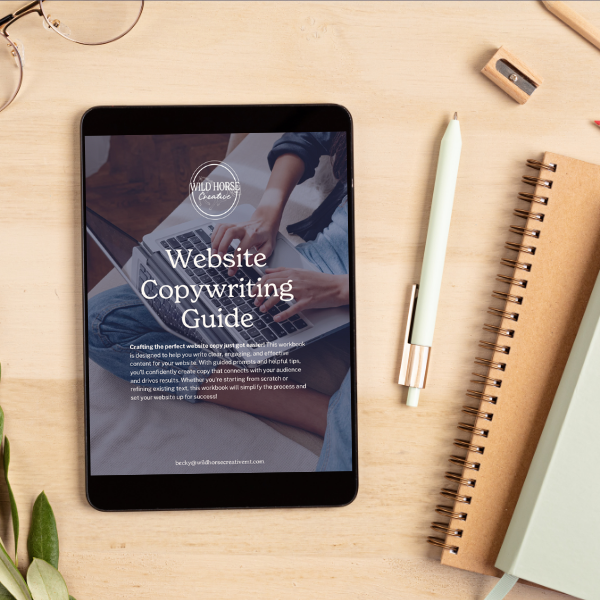
Struggling to write your website copy? I’ve got you covered!
Your website is the face of your business, and the right words can make all the difference. The Website Copy Prompts Workbook is designed to take the guesswork out of writing clear, compelling, and effective content. Whether you're building your website from scratch, refreshing your current site, or using one of my Wild Horse Creative templates, this guide will walk you through each page—helping you craft copy that connects with your audience and drives results.
At Wild Horse Creative, my goal is to set small business owners up for success with the right tools—whether I’m designing your website for you or you’re using my resources to DIY with confidence. This workbook is your roadmap to writing website copy that works!
Inside, you’ll find:
✅ Step-by-step writing prompts for key website pages
✅ Tips for engaging, conversion-focused copy
✅ SEO-friendly strategies to get found online
Take control of your website with ease—grab your copy today!
Important Notes:
Instant Download: This is a digital product, which means no physical item will be shipped. You'll receive immediate access to your download after purchase.
No Refunds: Due to the nature of digital products, all sales are final and non-refundable. Please reach out if you have any issues accessing your download.
For Personal Use Only: This workbook is intended for your personal business use and may not be shared, resold, or redistributed.
If you have any questions before purchasing, feel free to reach out!
Your website copy is how you connect with your dream clients. It shares your story, explains what you do, and builds trust.
Here’s the copy you’ll need for a basic website:
Home Page: A strong headline, a short intro, and clear calls to action
About Page: Share your story and why you do what you do
Services or Products Page: List your offerings and explain what sets you apart
Contact Page: Keep it simple—name, email, location, and a contact form
Bonus content like testimonials, FAQs, or a blog can give your site an extra boost and help with SEO.
Pro Tip: Don’t worry if it’s not perfect. Start with bullet points and build from there. (Or use a guided workbook like my Website Copy Writing Guide book ;) )
3. Gather High-Quality Images
Photos tell your story in a way words can’t. They help your audience get a feel for who you are and what you do.
Here’s what to collect:
Headshots or behind-the-scenes photos
Images of your products or services
Pictures of your location (if applicable)
Brand-aligned stock photos to fill in where needed
Quick Tip: Rename your image files before uploading them. For example: montana-custom-pottery.jpg is way more SEO-friendly than IMG_1234.jpg.
4. Get Clear on Your Brand Elements
Even the simplest site benefits from a consistent, cohesive look.
You’ll want to have:
Your logo (plus a favicon and social icon version)
Brand color palette (bonus points for hex codes!)
Fonts that reflect your brand personality
Notes on your tone of voice (casual, professional, playful?)
Not quite there yet? No stress. I’ll be launching mini branding kits and customizable templates soon—designed specifically for passionate small businesses.
5. Create a Site Map
Think of this as the blueprint for your site. What pages will you need?
Here’s a basic starter map:
Home
About
Services or Products
Contact
Portfolio or Testimonials (optional)
Blog (optional, but great for SEO + connection)
This helps keep things organized and ensures you’re not missing any key pieces.
6. Think Long-Term: Strategy & Growth
It’s never too early to think about what comes next. Even if you're not ready now, it helps to dream a little:
Do you want to start blogging?
Grow an email list?
Add a shop to sell digital products?
Improve your ranking on Google?
Planning for growth now can save you a redesign later.
A Website Built With Heart (and Strategy)
No matter how big or small your business is, your website should reflect your heart, your hustle, and your why.
Taking the time to gather your content, photos, goals, and branding before you build will make the process smoother—and your final site more powerful.
And if you need a little help? That’s what I’m here for.
Ready to Start Building?
You’ve got this. Whether you’re DIYing your website or working with a designer, the fact that you’re here, preparing and planning, means you’re already on the right track. Take it one step at a time—and remember, it doesn’t have to be perfect to be powerful.
If you want support along the way, I’ve got you covered. Join my email list to get helpful blog posts, updates, and resources sent straight to your inbox—so you can build your dream website with clarity and confidence!
Happy Designing!
-Bex